Instructor activity
What instructors changed, what they were refused, and when they signed in.
The Instructor activity page shows what your instructors have done, what they tried to do and weren't allowed to, and what admins changed about them. Nothing in it can be edited or deleted, and instructors can't see it.
Open it
- In the left menu, click Instructors.
- Click Activity.
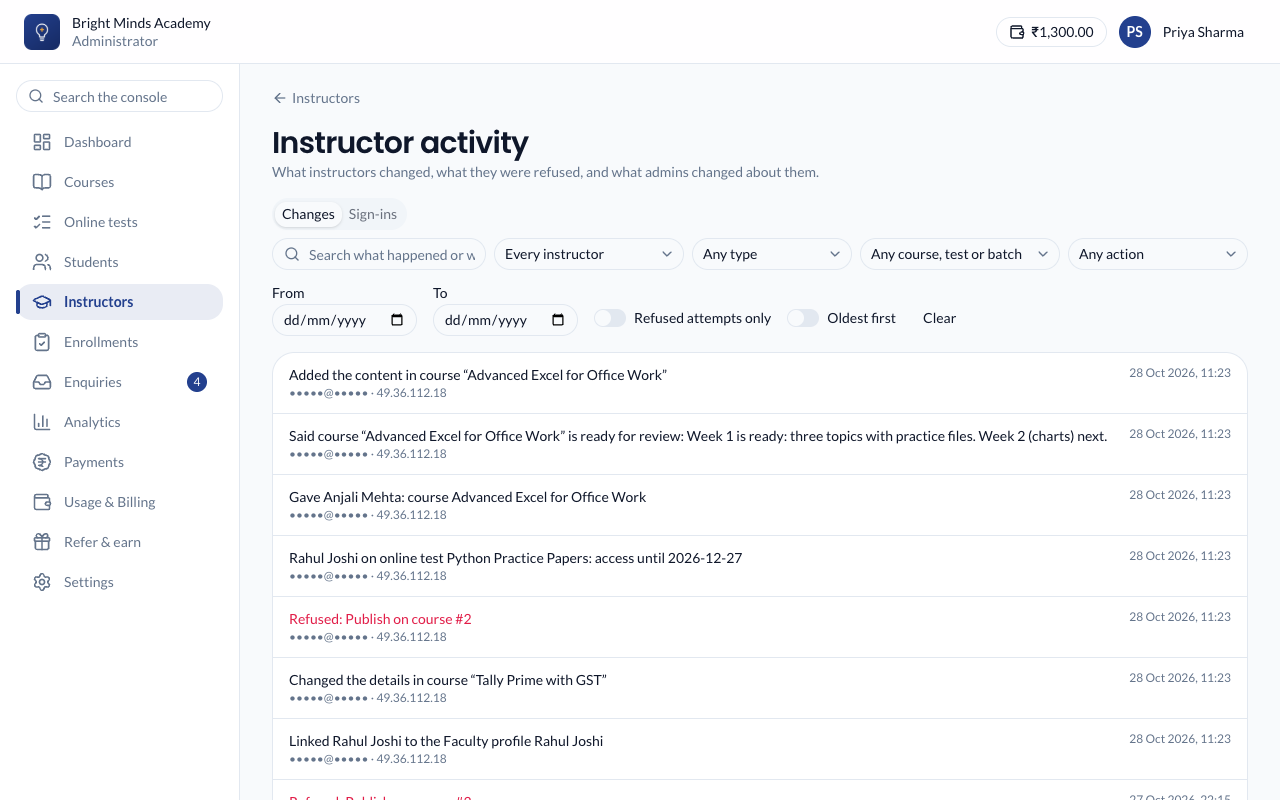
Changes
Each entry says what happened, who did it, when, and from which IP address. It includes:
- content they added, changed or removed, such as "Added a topic in course …";
- courses, online tests and batches they created, published or deleted;
- students they enrolled or removed, and end dates they changed;
- when they signed out;
- what admins changed about them: invited, details or email changed, deactivated, reactivated, given or removed access, switches changed, made an admin or an instructor;
- Refused attempts, shown in red: something they tried without the switch for it, such as "Refused: Publish on course #12".
Repeated saves of the same thing within a few minutes, such as typing in a topic, show as one entry.
Narrow the list with Every instructor, Any type, Any course, test or batch, Any action, the From and To dates, or the search box. Switch on Refused attempts only to see only refusals, or Oldest first to read in order. Click Clear to start again.
Sign-ins
Each time an instructor signed in, or tried to. Choose an instructor to see only theirs.
Tip: Admins' content changes are kept too, under Settings → Activity. See Activity log.