Student progress
Each student's progress on a course, and who is falling behind.
Student progress lists everyone on a course, online test or batch and how far they've got, so you can follow up with the ones who are falling behind. Admins always see it. Instructors see it when View student results is on for that course.
Open it
- Open the course, online test or batch.
- Click Student progress at the top.
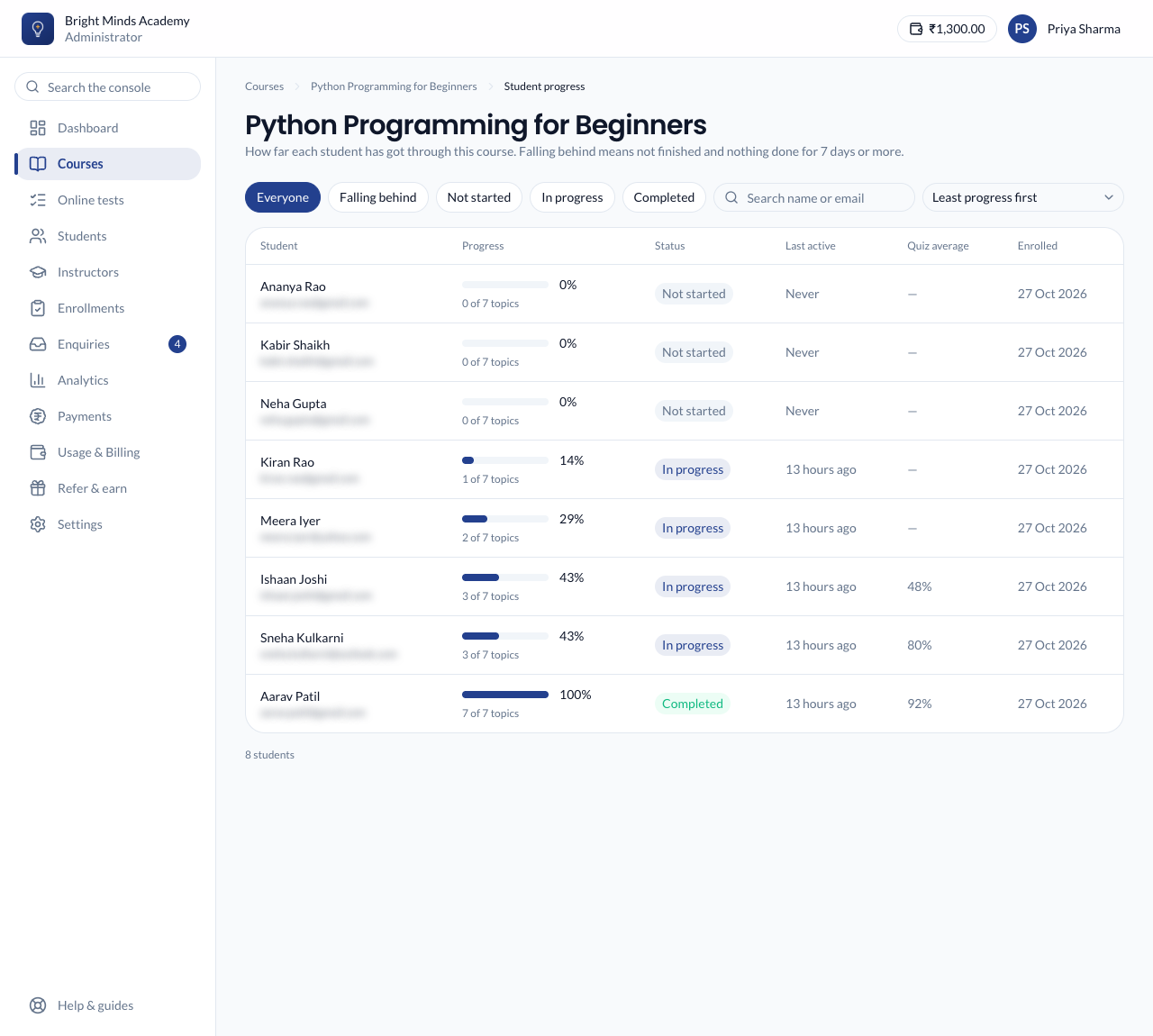
What it shows
For each student:
- Progress: the share of topics they've finished, and how many of how many. Only required, published topics count, the same as everywhere else in Paatya.
- Status: Not started, In progress or Completed.
- Last active: when they last opened it, worked on a topic or handed in a quiz.
- Quiz average: the average score of the quizzes and tests they've handed in.
- Enrolled: when they joined.
For a batch, progress counts the topics of every course and online test attached to it.
Find who's falling behind
A student is Falling behind when they haven't finished and haven't done anything for 7 days or more. A student who never started counts from the day they enrolled.
- Click Falling behind to see only them. Not started, In progress and Completed work the same way.
- Search by name or email.
- Sort by Least progress first, Longest inactive first or Name.
Admins can click a student's name to open their page. Instructors don't see student pages.