Statements and invoices
Usage, transactions, statements and tax invoices.
Everything your academy has added to and spent from its balance is recorded under Usage & Billing. This page shows where to find your usage, transactions, monthly statements and GST tax invoices, and how to download them.
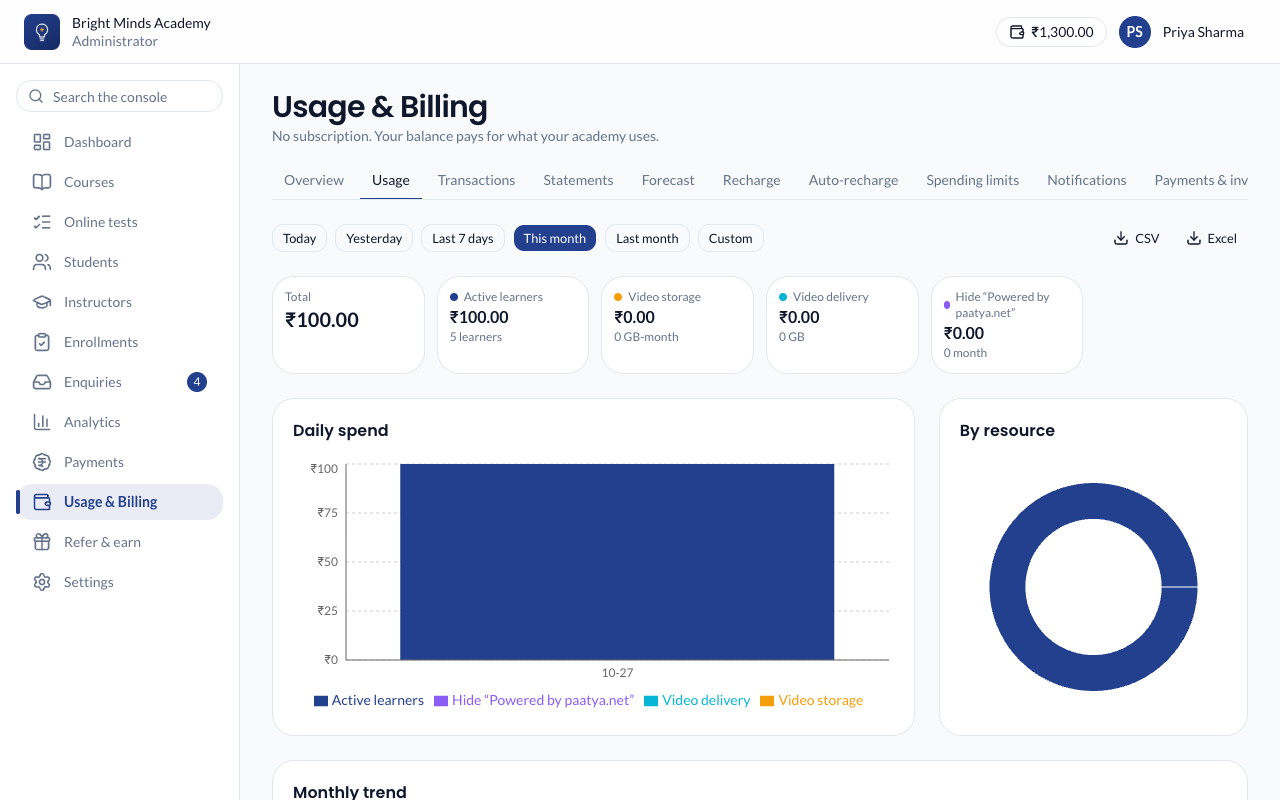
See what you've used
- Go to Usage & Billing → Usage.
- Pick a period: Today, Yesterday, Last 7 days, This month, Last month, or Custom.
- You'll see:
- the Total spend, and the spend for each resource (active learners, video storage, video delivery, and Hide "Powered by paatya.net" if you use that add-on);
- Daily spend, day by day;
- By resource, how the spend splits;
- Monthly trend over the last twelve months.
- To download the daily figures, click CSV or Excel.
Every transaction
Usage & Billing → Transactions lists every movement on your balance: recharges, bonus credit, welcome credit, referral rewards, usage charges, adjustments and refunds.
- Filter by type (Recharges and bonus, Welcome and referral credit, Usage, Adjustments, Refunds), by resource, by dates and by amount.
- Click View details on a row to see what it was for.
- Click CSV or Excel to download the list as filtered.
Monthly statements
Usage & Billing → Statements has one statement for each month. It shows your Opening balance, Credits added, Bonus credit (which includes welcome credit and referral rewards), Adjustments, Refunds, Usage and Closing balance, and usage by resource.
- The current month is marked as "The month so far". It is finalised on the 1st of the next month.
- Click PDF to download a statement.
- To get statements by email on the 1st of each month, switch on Monthly statement under Usage & Billing → Notifications.
Payments and tax invoices
Usage & Billing → Payments & invoices has two lists:
- Payments: every payment you've made, with its status: Paid, Processing, Failed or Cancelled.
- Invoices and credit notes: an invoice for every successful recharge (a Tax invoice where Paatya charges GST, otherwise an Invoice), and a Credit note for any refund. Click the download button to save one as a PDF.
Invoices appear after your first recharge. Welcome credit and referral rewards are free, so they have no invoice.
Note: To get your GSTIN and legal name on your invoices, fill in Usage & Billing → Billing details before you recharge. See Add balance.
How long will my balance last?
Usage & Billing → Forecast estimates your Estimated runway: how many days your current balance will last at your recent daily average. It also shows your average spend a day, and about a week and a month. A new academy sees "Not enough usage history to provide a reliable forecast" until it has a few days of use.